


Voloco: Auto Vocal Tune Studio
4.620.74K Reviews
App Specs
- Version
- Varies with Device
- Updated On
- License
- Free
- Downloads
- 50,000,000+
- Developer
- Resonant Cavity Inc.
- Categories
- Music & Audio
- Platform
- Android, iOS
Screenshots
 Analysis by AppCompare
If you've ever wanted to sound like a pop star without hitting every note perfectly, then Voloco: Auto Vocal Tune Studio might just be your new best friend. This app is your all-in-one vocal studio, and it's here to make your singing dreams come true—even if you’re not the best singer in the room. Let’s dive into what makes this app a must-have for aspiring vocalists.
A practical first recording
I’d approach Voloco as a quick vocal sketchpad rather than a replacement for a full recording setup. The useful first step is to choose a beat or a backing track, decide what sort of vocal character you want, and record a short test before committing to a whole verse. A small trial makes it easier to hear whether the tuning and effects suit your voice, and it saves you from building a longer take around a setting you don’t actually like.
That workflow is especially handy when an idea arrives at an inconvenient time: you can capture a hook on your phone, listen back, and decide whether it deserves a more careful session later. For a casual singer, the low barrier to trying a phrase is part of the appeal. For someone writing rap or melody ideas, it can help turn a vague rhythm into something concrete without first opening a desktop production program.
Settings worth checking before you sing
Auto-tuning can be subtle or deliberately obvious, so I wouldn’t assume the strongest effect is automatically the best one. Listen to a few seconds of your own voice with the selected sound before recording a full take. If the result feels too polished, too sharp, or unlike the mood you had in mind, adjust the effect and test again. A lighter touch can keep the performance recognizable, while a more pronounced character may work better when you want the processing to be part of the song.
Room noise and distance from the phone matter just as much as the effect choice. I’d record in a quieter spot, keep a consistent distance from the microphone, and avoid moving around between lines. That simple habit gives you a steadier source to work with and makes it easier to judge the processing. It is also worth listening through headphones when you can: the phone speaker may make a vocal seem balanced while hiding how the beat and voice sit together.
Voloco is free to start, with in-app purchases listed from $0.99 to $69.99 per item. I’d treat the free experience as a chance to learn what kind of vocal workflow you enjoy before spending anything. Since effects and creative preferences are personal, it makes sense to test your usual recording style first instead of buying options in the hope that they will fix a performance or a noisy room.
Faster habits for repeat sessions
When I’m trying to work quickly, I keep the first pass short: one chorus, a few bars, or even a single line. I listen back before recording more, then change only one thing at a time. That makes it easier to tell whether a different effect or delivery actually helped. If I alter several choices at once, I can end up with a more exciting sound but no clear idea why it works—or why it doesn’t.
Worth Reading Before You Choose

EA SPORTS FC Mobile 26 Is a Bigger Football Game, but It Takes Time

Flipboard Shows What News Apps Must Do Beyond the Feed

Switching to Android Auto Means Rethinking Your Driving Routine

Google Calendar Makes a Crowded Week Easier to Manage

Ludo King Makes the Most of the Minutes Between Plans

Baby Panda World Brings Quick Play to Modern Phones, but Its Game Library Feels Busy
A second useful habit is to separate performance decisions from effect decisions. First focus on the timing, phrasing, and energy of the vocal; then judge the sound treatment. It’s easy to blame a setting for a line that simply needs another take. Conversely, a lively performance can be dulled by an effect that is too heavy. Short comparisons make those differences easier to hear than repeatedly recording a whole song from the beginning.
For a realistic everyday use, imagine catching a melody while walking home. I’d wait until I’m somewhere quiet, record a brief idea over a beat, and make a note of which vocal character feels closest to the song in my head. Later, I could revisit the idea and decide whether to keep it as a rough demo or build on it. That is a more comfortable use of a phone vocal app than expecting one spontaneous take to be a finished release.
Getting Started with Voloco
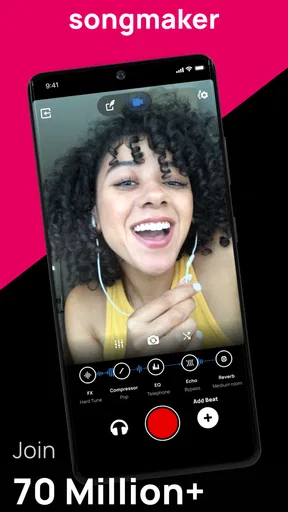
First things first, getting started with Voloco is a breeze. The app is available on both Android and iOS, so no matter your device, you’re good to go. Downloading and installing it takes just a few moments. Once it's on your phone, you’re welcomed with an interface that’s sleek and user-friendly. Even if you’re not tech-savvy, you’ll find your way around easily.
Features to Make You Sing
Voloco offers a plethora of features designed to enhance your vocal performance. Let’s break down some of the most exciting ones:
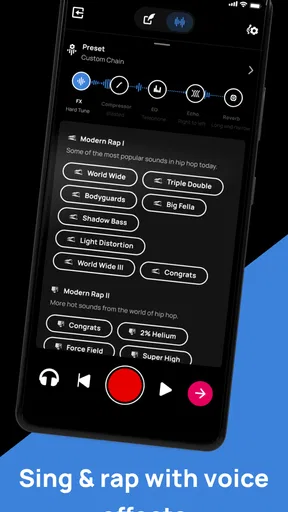
- Real-time Auto-tuning: Whether you’re singing in the shower or recording a track, Voloco’s real-time auto-tuning ensures you’re always hitting the right notes. It’s like having your own personal sound engineer.
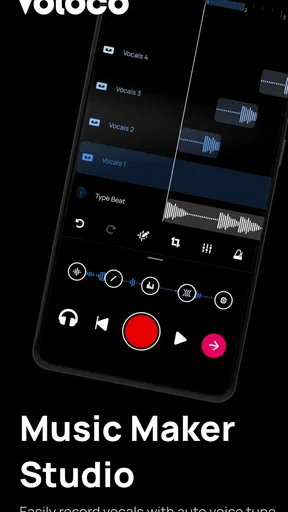
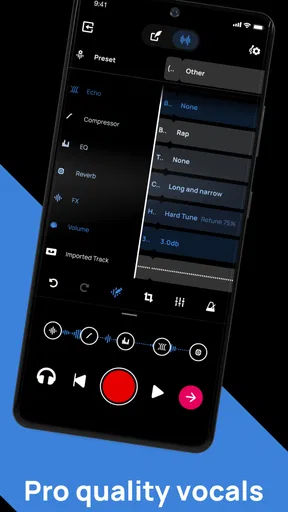
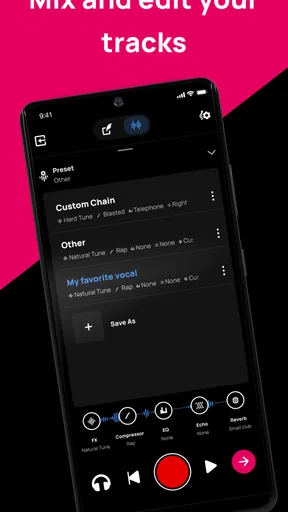
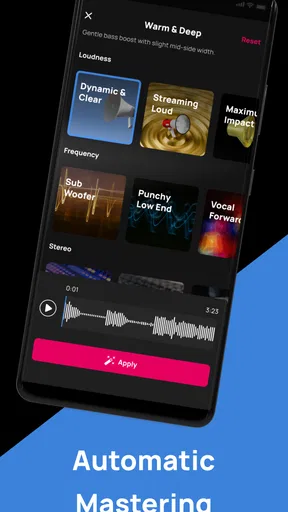
- Studio-Quality Effects: The app comes loaded with high-quality vocal effects. From reverb to compression, you can tweak your sound to perfection.
- Beat Library: Not only can you fine-tune your voice, but you can also choose from a library of beats to sing along to. This is perfect for creating tracks on the fly.
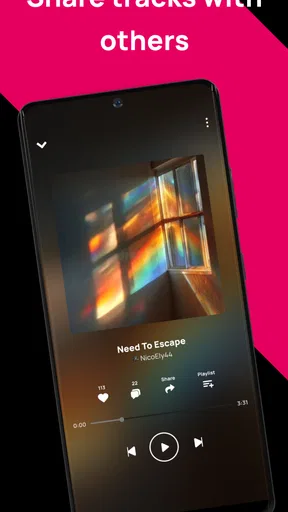
- Export and Share: Once you’ve created your masterpiece, exporting your recording is simple. You can share it directly to social media platforms or save it to your device.
Easy on the Eyes and Ears
I’ve got to say, the design of Voloco is pretty impressive. The developers have clearly put a lot of thought into making the app not only functional but also aesthetically pleasing. It’s got that modern look that just feels right. And when it comes to sound quality, the app doesn't disappoint. The effects are crisp, and the auto-tuning doesn’t sound robotic—unless you want it to, of course!
Still, a processed vocal is not the same as a clean, professionally recorded vocal. Real-time tuning can make a loose performance more entertaining, but it won’t replace careful timing, a clear recording, or thoughtful mixing. I’d also avoid judging a take only by how impressive the effect sounds on its own; the voice has to work with the beat. A setting that is exciting in a solo preview may crowd the track once both parts play together.
Personal Experiences
Now, I’m no professional singer, but I’ve had a blast experimenting with Voloco. Whether I’m belting out my favorite tunes or just playing around with different effects, it’s been nothing short of fun. I even found myself getting quite creative with the beat library, trying out different styles and genres. It’s like having a mini recording studio right in my pocket.
That playful approach is where the app makes the most sense to me. It suits singers who want an approachable way to experiment, rappers looking for a quick vocal idea, and songwriters who want to hear a lyric against a beat before deciding what to do next. The developer is RESONANT CAVITY, and the app sits in the music and audio category. Its Teen age rating is worth keeping in mind if you’re choosing an app for a younger listener.
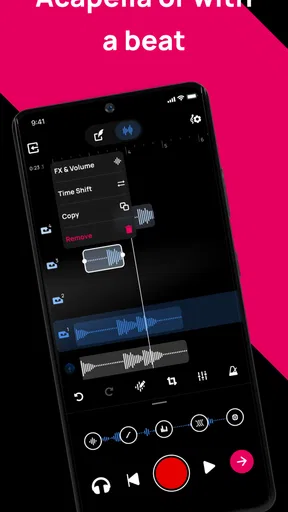
It is less suitable if your main goal is detailed multitrack production, precise editing, or a natural vocal recording with no noticeable processing. In those cases, a traditional digital audio workstation or a dedicated recording setup gives you more room to shape a project. Voloco’s strength is immediacy: it makes experimenting with tuned vocals and beats feel accessible, not that it replaces every tool a musician might need.
Where the limits show
The biggest trade-off is that an effect can disguise some vocal imperfections without solving the underlying performance. If a line is off in rhythm, a tune effect may make the pitch feel more controlled but the delivery can still sound unsettled. I’d use the app to explore and improve an idea, then redo any part that feels weak rather than stacking more processing on top of it.
There is also a difference between making something enjoyable on a phone and preparing a polished production for every listening situation. A beat that works for a short sketch may not leave enough space for the voice, and a sound that feels fun in headphones may not translate as well through another speaker. Exporting and sharing are convenient, but I’d listen to the finished recording once more before posting it, especially if the balance between vocal and backing track matters.
Voloco has an average rating of 4.6 from around 392,000 ratings, and it has passed 10 million installs. Those figures suggest that it has found a large audience, but they don’t tell me whether its particular sound will suit your voice. The best test is still a short recording with a beat and an effect you would genuinely use; if you enjoy that process, the app has a clear role in your creative routine.
Final Thoughts
In conclusion, Voloco: Auto Vocal Tune Studio is an app that delivers on its promises. Whether you're a seasoned singer or someone who just loves to dabble in music, this app offers something for everyone. It’s intuitive, packed with features, and most importantly, it makes you sound amazing. Give it a try and see—or hear—for yourself!
My more measured recommendation is to think of it as a playful vocal studio for capturing ideas, trying different sounds, and sharing recordings—not as a shortcut to a finished song. The app was released on Jan 2, 2011, and it remains free to download, with optional purchases. If you’re curious about tuned vocals and want a straightforward place to experiment, I’d give it a try. If you need detailed editing or consistently natural, unprocessed recording, you’ll probably be happier with a more traditional audio tool.
Pros
- Easy-to-use interface for beginners.
- Real-time vocal effects application.
- Wide range of free audio presets.
- Seamless integration with music platforms.
- Regular updates with new features.
Cons
- Limited advanced editing features.
- Requires internet for full functionality.
- Free version has ads.
- Some effects need in-app purchases.
- Interface can feel cluttered at times.
FAQs for Voloco: Auto Vocal Tune Studio
What is Voloco: Auto Vocal Tune Studio used for?
Voloco is a mobile app designed for singers and musicians who want to enhance their vocal recordings. It combines auto-tuning, harmony, and vocoding features, allowing users to adjust pitch and apply vocal effects in real time. The app is popular among aspiring artists and social media creators for producing professional-sounding tracks on the go.
Is Voloco suitable for beginners?
Yes, Voloco is user-friendly and suitable for beginners. The app offers a straightforward interface with easy-to-use tools that require no prior experience in music production. With tutorials and presets available, users can quickly learn to record and edit their vocals, making it accessible for anyone interested in enhancing their singing.
Are there any in-app purchases or subscription fees?
Voloco offers a free version with basic features, but there are also in-app purchases and subscription options available. The premium version provides additional effects, vocal presets, and advanced editing tools. Users can choose a monthly or annual subscription to unlock the full potential of the app, catering to more advanced music production needs.
Can I use Voloco offline?
Voloco requires an internet connection for downloading the app and accessing certain features. However, once installed, users can record and edit tracks offline. Some features, such as downloading new effects or updating the app, will need an internet connection, but basic functionality remains available without it.
What audio formats does Voloco support for exporting tracks?
Voloco supports exporting tracks in various popular audio formats, including WAV and MP3. This versatility allows users to share their creations easily across different platforms or incorporate them into other music production software. The app ensures high-quality exports, maintaining the integrity of your recordings.


